Table of Contents
SuperDocs: Building the Open-Source Mintlify Alternative
Documentation. It’s the backbone of every successful software project, yet it’s also one of the most neglected aspects of development. How many times have you used a library only to find its docs are outdated, incomplete, or just plain ugly? I’ve been there more times than I can count.
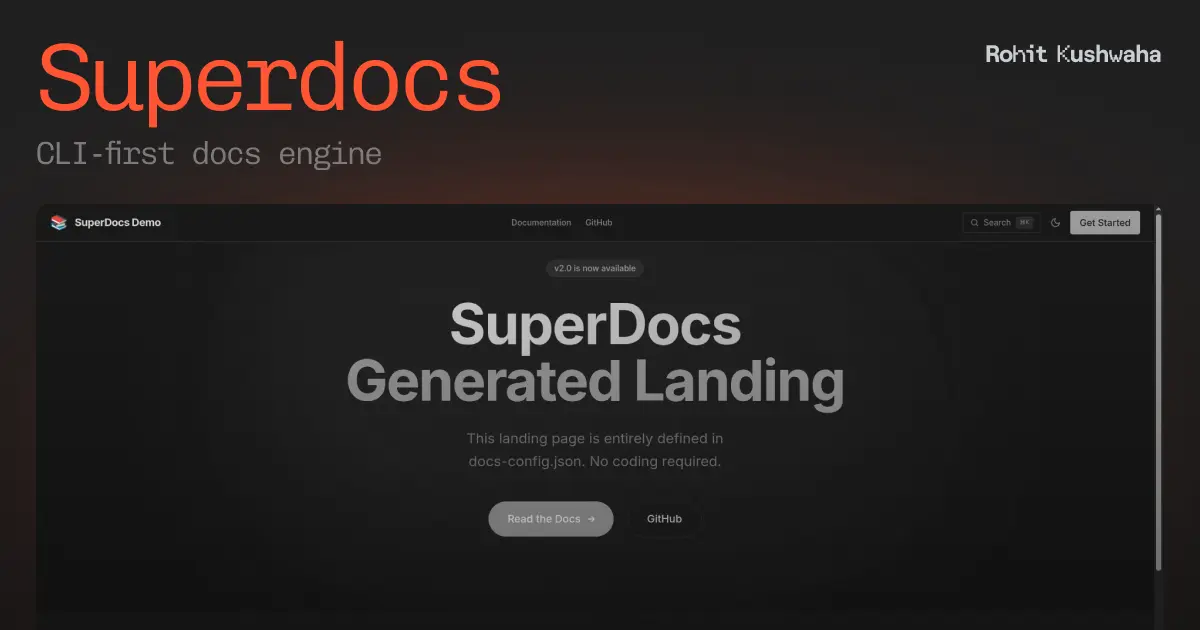
That frustration led me to build SuperDocs, a CLI-first documentation engine that transforms your Markdown files into beautiful, searchable documentation sites. Think of it as the open-source alternative to Mintlify, but with full control over your content and zero vendor lock-in.
In this deep dive, I’ll walk you through the architecture, features, and the philosophy behind SuperDocs. Whether you’re a maintainer looking for better docs or a developer curious about building CLI tools, there’s something here for you.
The Problem with Documentation Tools
Before diving into SuperDocs, let’s talk about why existing solutions often fall short:
Commercial Platforms (Mintlify, GitBook, ReadMe)
- 💰 Expensive at scale: Monthly fees add up, especially for open-source projects
- 🔒 Vendor lock-in: Your content lives on their servers, in their format
- ⚙️ Limited customization: You’re stuck with their themes and layouts
- 🐌 Build times: Some platforms have painfully slow builds for large doc sites
Self-Hosted Solutions (Docusaurus, VuePress, MkDocs)
- 📚 Steep learning curve: Complex configuration and plugin systems
- 🏗️ Heavy setup: Need to scaffold an entire project just for docs
- 🔧 Maintenance burden: Framework updates, dependency management, security patches
What if you could just point a CLI at your Markdown folder and get a production-ready docs site? That’s exactly what SuperDocs does.

Introducing SuperDocs
SuperDocs is built on a simple philosophy: your docs should be as easy to deploy as they are to write. No complex configuration files, no framework boilerplate. Just your Markdown files and a single command.
Core Features
✨ Simple Setup - Point to your docs folder and go
🚀 Astro-Powered - Leverages Astro’s speed and SEO optimization
📝 Markdown & MDX - Full support for both formats with frontmatter
🎨 Responsive Design - Mobile-friendly, beautiful documentation
🔥 Hot Reload - Dev server with live file watching
⚡ Fast Builds - Static site generation for optimal performance
🎯 SEO Optimized - Meta tags, semantic HTML, and proper structure
🔍 Built-in Search - Full-text search across all your documentation
Architecture Deep Dive
Understanding SuperDocs’ architecture helps appreciate why it’s so fast and flexible. Let me walk you through the internals.
The CLI-First Approach
SuperDocs is fundamentally a CLI tool, not a framework. This distinction matters because it means:
- No project scaffolding required - You don’t need to create a new project
- Zero configuration by default - Sensible defaults for everything
- Easy CI/CD integration - Just run a command in your pipeline
The CLI is built with Commander.js for argument parsing and picocolors for beautiful terminal output. Here’s what the help screen looks like:
$ superdocs --help

Usage: superdocs [command] [options]

Commands:
  build   Build a static documentation site
  dev     Start a development server with hot reload
  eject   Export the full Astro project for customization

Options:
  -i, --input <path>     Path to your docs folder
  -o, --output <path>    Output directory (default: ./dist)
  -t, --theme <name>     Theme to use (default, dark)
  -b, --base-url <url>   Base URL for the site
  --search               Enable search functionality
  -h, --help             Display this help message
Internal Architecture
When you run a SuperDocs command, here’s what happens under the hood:
┌─────────────────────────────────────────────────────────────────┐
│                         SuperDocs CLI                            │
├─────────────────────────────────────────────────────────────────┤
│                                                                  │
│  ┌──────────┐    ┌──────────┐    ┌──────────┐    ┌──────────┐  │
│  │ Scaffold │ -> │   Sync   │ -> │ Configure│ -> │  Build   │  │
│  │          │    │  Files   │    │  Astro   │    │  Output  │  │
│  └──────────┘    └──────────┘    └──────────┘    └──────────┘  │
│       │                │               │               │        │
│       v                v               v               v        │
│  ┌──────────┐    ┌──────────┐    ┌──────────┐    ┌──────────┐  │
│  │ Template │    │ src/pages│    │  astro   │    │  ./dist  │  │
│  │  Files   │    │    /*    │    │ .config  │    │    /*    │  │
│  └──────────┘    └──────────┘    └──────────┘    └──────────┘  │
│                                                                  │
└─────────────────────────────────────────────────────────────────┘
Let’s break down each stage:
1. Scaffold Phase
SuperDocs maintains an internal Astro template with pre-configured layouts, components, and styles. When you run a command, it creates a temporary project directory and copies the template files:
// src/core/scaffold.js
export async function scaffoldProject(tempDir) {
  const templateDir = path.join(__dirname, '../template');

  // Copy base template
  await fs.copy(templateDir, tempDir);

  // Install dependencies
  await execAsync('npm install', { cwd: tempDir });

  return tempDir;
}
The template includes:
- Pre-configured
astro.config.mjs - Responsive documentation layout
- Navigation component
- Search integration
- Theme support (light/dark)
2. Sync Phase
Your Markdown files are synced into the Astro project’s src/pages/ directory. This leverages Astro’s file-based routing. Every .md or .mdx file becomes a route automatically:
// src/core/sync.js
export async function syncDocs(inputDir, projectDir) {
  const pagesDir = path.join(projectDir, 'src/pages');
  const files = await glob('**/*.{md,mdx}', { cwd: inputDir });

  for (const file of files) {
    const source = path.join(inputDir, file);
    const dest = path.join(pagesDir, file);

    // Ensure directory exists
    await fs.ensureDir(path.dirname(dest));

    // Copy with frontmatter enhancement
    await copyWithEnhancements(source, dest);
  }
}
The sync phase also handles:
- Automatic frontmatter injection for files missing titles
- Image path resolution
- Internal link rewriting
3. Configure Phase
SuperDocs generates a custom astro.config.mjs based on your CLI options:
// src/core/config.js
export function generateConfig(options) {
  return `
import { defineConfig } from 'astro/config';
import mdx from '@astrojs/mdx';
import tailwind from '@astrojs/tailwind';

export default defineConfig({
  base: '${options.baseUrl}',
  integrations: [mdx(), tailwind()],
  markdown: {
    shikiConfig: {
      theme: '${options.theme === 'dark' ? 'github-dark' : 'github-light'}',
    },
  },
});
`;
}
4. Build/Serve Phase
Finally, SuperDocs spawns the native Astro CLI:
// src/core/astro.js
export async function runAstroBuild(projectDir, outputDir) {
  const astroPath = path.join(projectDir, 'node_modules/.bin/astro');

  await exec(`${astroPath} build`, { cwd: projectDir });

  // Copy built files to user-specified output
  await fs.copy(
    path.join(projectDir, 'dist'),
    outputDir
  );
}
For the dev server, we also set up Chokidar to watch your docs folder:
// src/commands/dev.js
const watcher = chokidar.watch(inputDir, {
  persistent: true,
  ignoreInitial: true,
});

watcher.on('change', async (filePath) => {
  console.log(chalk.yellow(`File changed: ${filePath}`));
  await syncDocs(inputDir, projectDir);
});
Getting Started with SuperDocs
Ready to try SuperDocs? Here’s how to get up and running in under 2 minutes.
Installation
# Global installation (recommended)
npm install -g @devrohit06/superdocs
# or with pnpm
pnpm add -g @devrohit06/superdocs
# or with bun
bun add -g @devrohit06/superdocs
Your First Docs Site
Create a simple docs folder:
mkdir my-docs
echo "# Welcome to My Docs

This is the homepage of my documentation site.

## Features

- Simple Markdown syntax
- Automatic navigation
- Beautiful design out of the box
" > my-docs/index.md
Start the dev server:
superdocs dev --input ./my-docsThat’s it! Your docs are now live at http://localhost:4321 with hot reload enabled.
Building for Production
When you’re ready to deploy:
superdocs build \
  --input ./my-docs \
  --output ./dist \
  --theme dark \
  --base-url /docs/ \
  --search
The output is a fully static site that can be deployed anywhere: Vercel, Netlify, GitHub Pages, or your own server.
Documentation Structure
SuperDocs automatically generates navigation based on your folder structure. Here’s a recommended layout:
docs/
├── index.md                 # Homepage
├── getting-started.md       # Quick start guide
├── installation.md          # Installation instructions
├── configuration/
│   ├── index.md            # Configuration overview
│   ├── basic.md            # Basic configuration
│   └── advanced.md         # Advanced options
├── api/
│   ├── index.md            # API overview
│   ├── reference.md        # API reference
│   └── examples.md         # Code examples
└── guides/
    ├── index.md            # Guides overview
    ├── deployment.md       # Deployment guide
    └── migration.md        # Migration guide
Frontmatter Options
Enhance your pages with frontmatter:
---
title: Getting Started
description: Learn how to set up SuperDocs in your project
order: 1
---

# Getting Started

Your content here...
Available frontmatter fields:
| Field | Type | Description |
|---|---|---|
title | string | Page title (used in navigation and SEO) |
description | string | Page description for SEO |
order | number | Sort order in navigation |
hidden | boolean | Hide from navigation |
layout | string | Custom layout component |
MDX Support
SuperDocs fully supports MDX, allowing you to use React components in your documentation. This enables powerful interactive examples:
---
title: Interactive Examples
---

import { CodePlayground } from '../components/CodePlayground';

# Interactive Examples

Try editing the code below:

<CodePlayground
  code={`const greeting = "Hello, World!";
console.log(greeting);`}
  language="javascript"
/>
Comparing SuperDocs to Alternatives
How does SuperDocs stack up against the competition? Let’s break it down:
| Feature | SuperDocs | Mintlify | Docusaurus | VuePress |
|---|---|---|---|---|
| Setup Time | < 1 min | 5-10 min | 10-15 min | 5-10 min |
| Pricing | Free | $$$$ | Free | Free |
| CLI-First | ✅ | ❌ | ❌ | ❌ |
| Hot Reload | ✅ | ✅ | ✅ | ✅ |
| MDX Support | ✅ | ✅ | ✅ | ❌ |
| Built-in Search | ✅ | ✅ | Plugin | Plugin |
| Self-Hosted | ✅ | ❌ | ✅ | ✅ |
| Zero Config | ✅ | ❌ | ❌ | ❌ |
| Bundle Size | Small | N/A | Large | Medium |
When to Choose SuperDocs
- 📦 Open-source projects: No cost, no vendor lock-in
- ⚡ Quick documentation: Get docs up in minutes, not hours
- 🎨 Simple customization: Eject and customize when needed
- 🔧 CI/CD friendly: Single command for automated builds
- 📱 Static hosting: Works with any static file host
When to Consider Alternatives
- 🏢 Enterprise features: Need analytics, collaboration, or access control? Mintlify might be better
- 🔌 Plugin ecosystem: Need extensive plugins? Docusaurus has a larger ecosystem
- ⚛️ React-heavy docs: Building interactive React tutorials? Consider Docusaurus
The Eject Escape Hatch
One of SuperDocs’ most powerful features is the eject command. It exports the complete Astro project, giving you full control:
superdocs eject --input ./my-docs --output ./my-astro-projectAfter ejecting, you can:
- Customize every component and layout
- Add new pages beyond documentation
- Integrate with your existing Astro site
- Modify the build process
Think of it as training wheels. SuperDocs gets you started fast, and when you outgrow it, you can take full control without starting over.
What’s Next for SuperDocs
SuperDocs is actively developed with exciting features on the roadmap:
Planned Features
🔮 Version Support - Documentation versioning for different releases
🌐 i18n - Built-in internationalization support
📊 Analytics Integration - Plausible, Fathom, and Google Analytics
🎨 More Themes - Additional built-in themes and color schemes
🔗 API Documentation - Generate docs from OpenAPI/Swagger specs
💬 Comments - Giscus integration for community discussions
📱 PWA Support - Offline-capable documentation sites
Contributing
SuperDocs is open-source and welcomes contributions! Here’s how to get involved:
- Star the repo: github.com/DevRohit06/superdocs
- Report issues: Found a bug? Open an issue
- Submit PRs: Check out the contributing guide
- Spread the word: Tweet about SuperDocs!
Conclusion
Building documentation shouldn’t be harder than building the software it describes. SuperDocs embodies this philosophy: it’s fast, simple, and just works.
Whether you’re documenting a side project, an open-source library, or internal company tools, SuperDocs gives you beautiful results with minimal effort. And because it’s open-source and built on Astro, you’re never locked in.
The best documentation is the documentation that gets written and maintained. By removing friction from the tooling, SuperDocs helps you focus on what matters: creating content that helps your users succeed.
Ready to give it a try? Install SuperDocs and transform your Markdown into stunning documentation in under 2 minutes:
npm install -g @devrohit06/superdocs
superdocs dev --input ./docs
Happy documenting! 📚
Links:

Rohit Kushwaha
Software Engineer & Tech Enthusiast
I'm a software engineer with a passion for building things that live on the internet. I write about technology, software development, and my experiences in the tech industry.